Pick Zurich if you need a warm photography site with galleries, couple stories and a news page. Pick Alexandria if you want a portfolio with services, project cards and five case studies. We made both, and these are the two free website templates we'd point you to first in this category.
We made both of these templates, so this list is just us telling you where each one saves the most time. We ordered them by how specific the structure is: Zurich first for photography and story-led client work, then Alexandria for broader portfolio use across studios and design practices.
1. Zurich: Wedding Photography Website Template
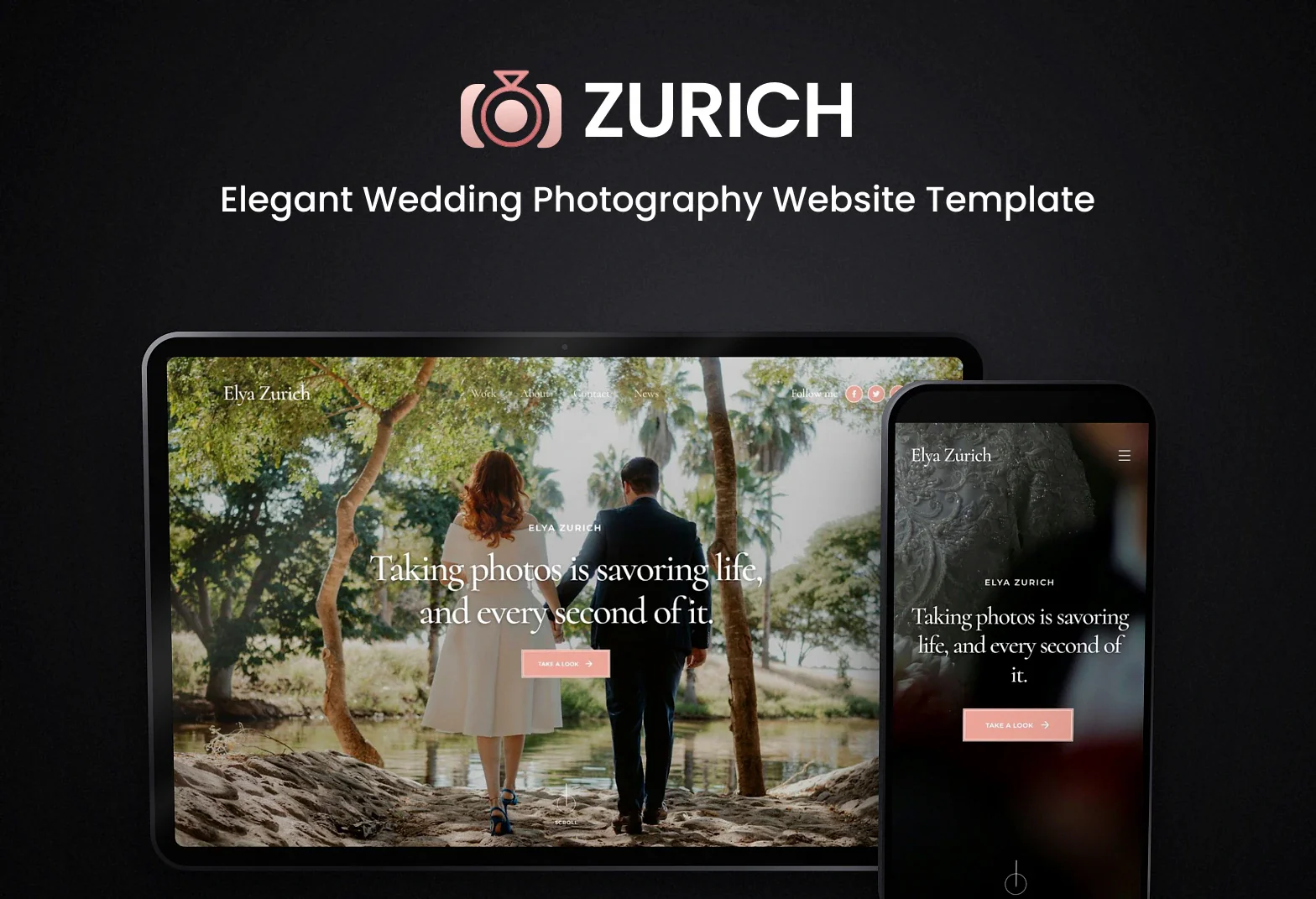
I'd pick this first for a photographer's site because the page set already matches how that work gets shown. You get a home page, a work page with your galleries, couple story pages, a news page with articles, about, contact, login and terms. The look is warm and personal: a soft rose palette, editorial fonts and big photo layouts where the images carry most of the page.
It saves you the most time if your site needs to sell a feeling, not just list projects. Wedding photographers are the obvious fit, but freelance designers and event planners can use the same structure if they want story-led case studies and image-heavy pages. We built it with Next.js, React, shadcn/ui, Tailwind CSS and TypeScript. There's no backend yet, so contact and login are placeholders until you connect them.
Best for: Wedding photographers and story-led visual sites Skip it if: You need project case studies and services more than galleries Built with: Next.js, React, Tailwind CSS
2. Alexandria: Creative Portfolio Website Template
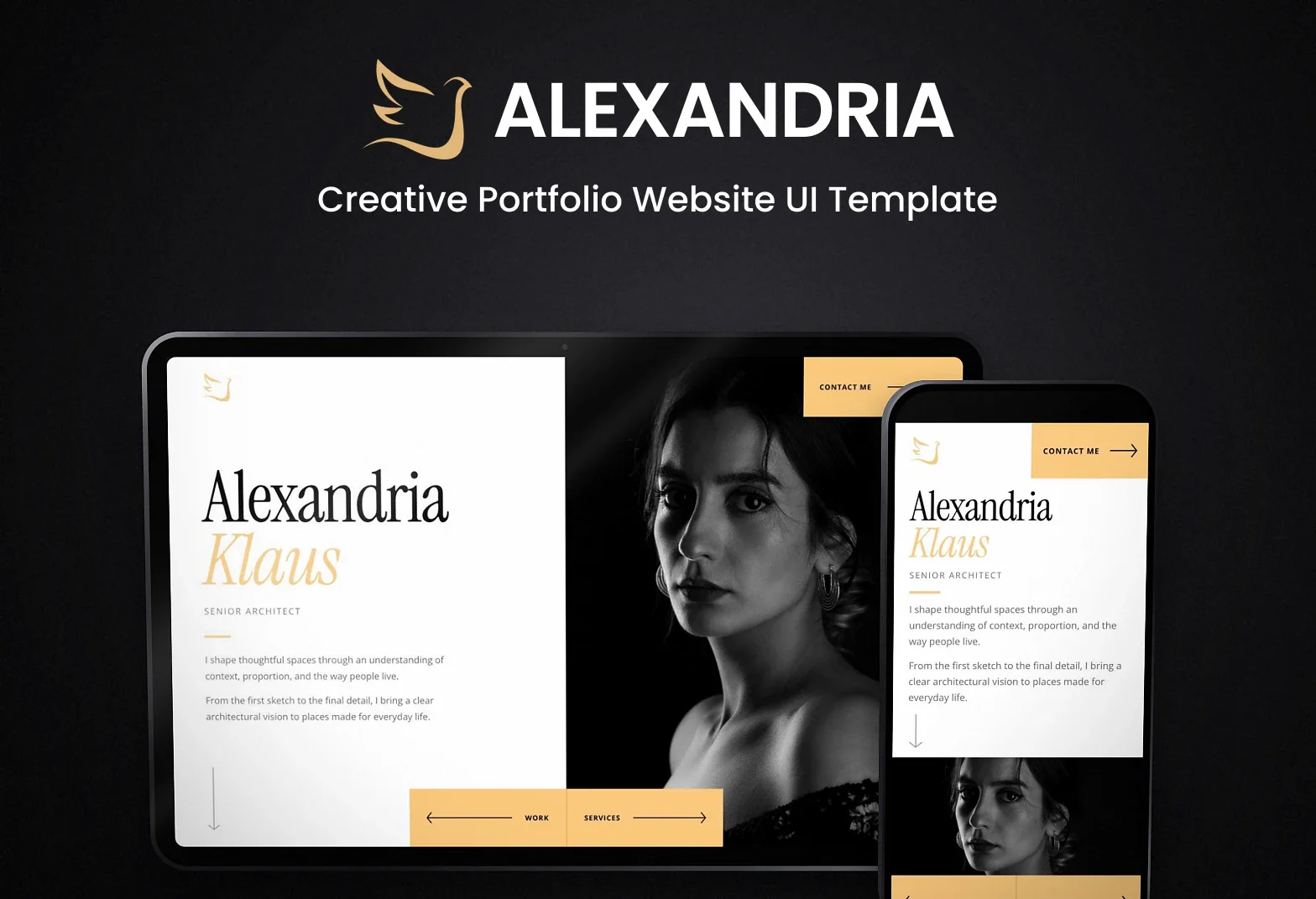
This is the one I'd use for a studio or solo creative portfolio that needs more project detail. The home page is full-screen with your portrait, a short bio and a contact button. After that you get services, a work page with project cards, five case studies, an about page with your skills and experience, and contact. Each case study includes a big opening image, the idea, the scope, image studies and a link to the next project.
Alexandria works best when you need your projects to read like editorial features. The black and white architecture photos, charcoal and gold color scheme, and serif headings push it in that direction, so architects, interior designers and creative studios will have less to change. We built it with React, Next.js, Radix UI, shadcn/ui, Tailwind CSS, TypeScript and Framer Motion, then kept the content structure focused on portfolio storytelling.
Best for: Architects, studios and case-study portfolios Skip it if: You need galleries and couple stories for photography work Built with: Next.js, React, Framer Motion
How do these templates compare?
| Template | Best for | Built with |
|---|---|---|
| Zurich | Wedding photographers and story-led visual sites | Next.js, React, Tailwind CSS |
| Alexandria | Architects, studios and case-study portfolios | Next.js, React, Framer Motion |
What should a free website template include?
Start with the page types you actually need. For a photography site, that usually means galleries, story pages, about and contact. For a portfolio, it usually means services, project cards and case studies with room for images and project context. After that, check the stack. If you're already in Next.js and React, you'll move faster with a template that matches. Also look at the built-in style before you download it. Zurich starts warm and personal with soft rose tones. Alexandria starts more editorial with black and white photos, charcoal, gold and serif headings. Picking the closer match saves you from rebuilding the whole thing.
Which free website template should you pick?
Choose Zurich if your work lives and dies on big photos and personal stories. It's the one we'd use for wedding photographers first, and it also works for event planners or freelancers with image-led projects. Choose Alexandria if clients need more explanation before they hire you. The services page, project cards and five case studies do more of that job. Between the two, Zurich feels softer and more personal. Alexandria feels more like a portfolio presentation. I wouldn't force Alexandria into a wedding gallery site, and I wouldn't use Zurich if I needed detailed case studies from day one.
How do you get started with a free website template?
- Make a Mesbah Lab account.
- Download the template free. You can download up to 10 a month.
- Open it in VS Code.
- Run
npm ciandnpm run dev. - Replace the demo photos, text and project content with your own.
- If you're using Zurich, connect your own backend if you want the contact or login pages to do anything.
- If you already have a Next.js app, you can also bring pieces across into your existing project.
Every free template in this category is on the Websites page.