Pick Natasha for a broad SaaS or e-commerce admin, Frieda for fintech, Violett for day-to-day store operations, Brinhildr for marketplace-style admin, Lillian for a one-screen analytics setup, and Krona for HR and productivity flows. We made all of these, so this is our blunt take on which one fits what.
We built every template here, so this isn't a neutral review. It's us telling you where each one saves the most time, based on the actual screens, flows and stack. We ordered them by how often they'd fit a typical dashboard build, then called out the cases where we'd pick something else.
1. Natasha: SaaS and e-commerce admin dashboard
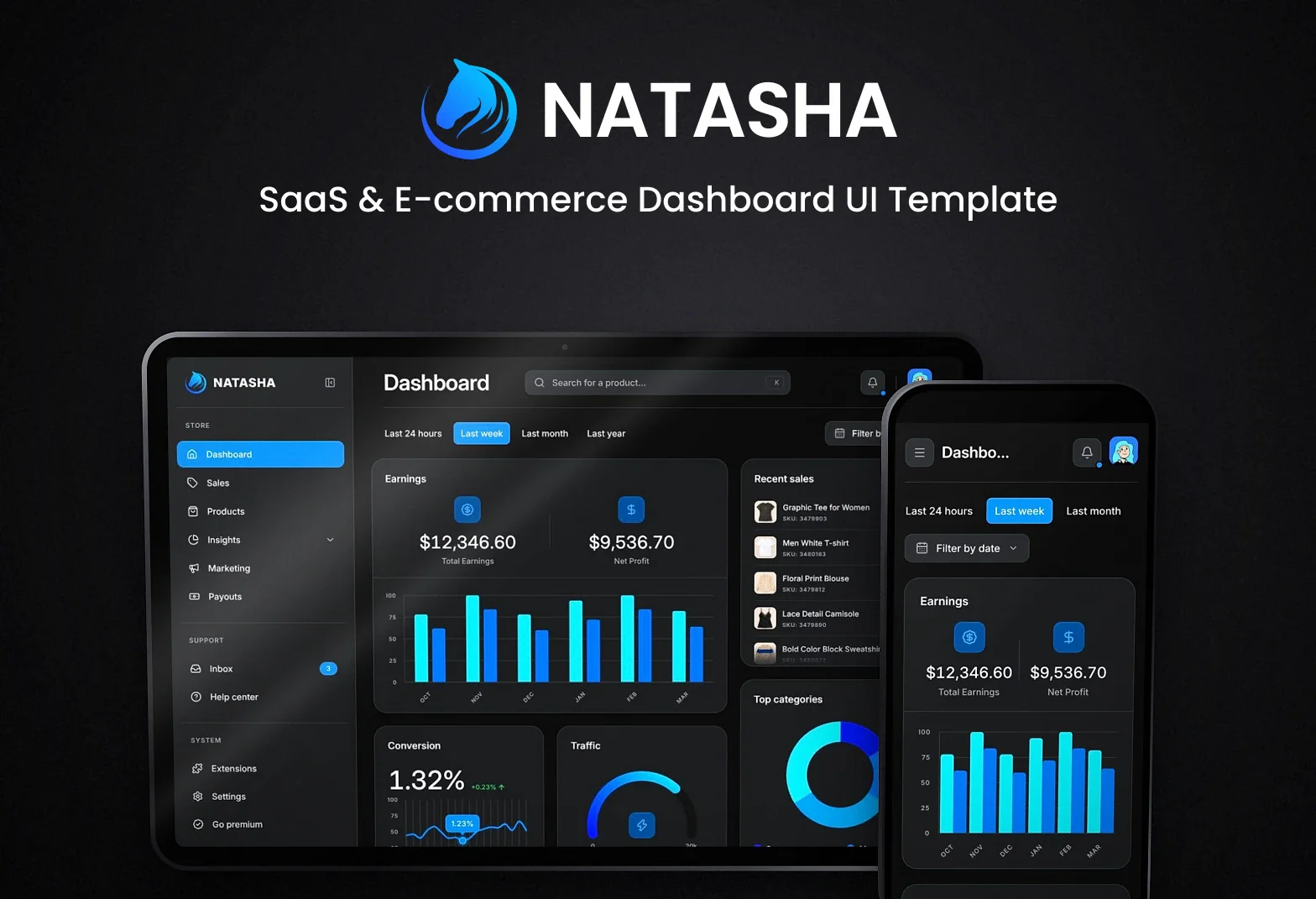
If you need breadth, start here. You get a main dashboard, sales list and order detail, products catalog, product page, new product form, insights for earnings, traffic and conversions, plus marketing, payouts, inbox, extensions, help center, settings and an upgrade page.
We’d pick it for a store admin or SaaS back office that needs more than one or two screens. It saves the most time when your app has products, orders and money flows all in the same place, and you want a Next.js setup with shadcn/ui already in place.
Best for: SaaS or store admin with lots of sections Skip it if: You need finance-specific screens like cards, transfers and recipients Built with: Next.js, React, shadcn/ui, TypeScript
2. Frieda: finance SaaS dashboard
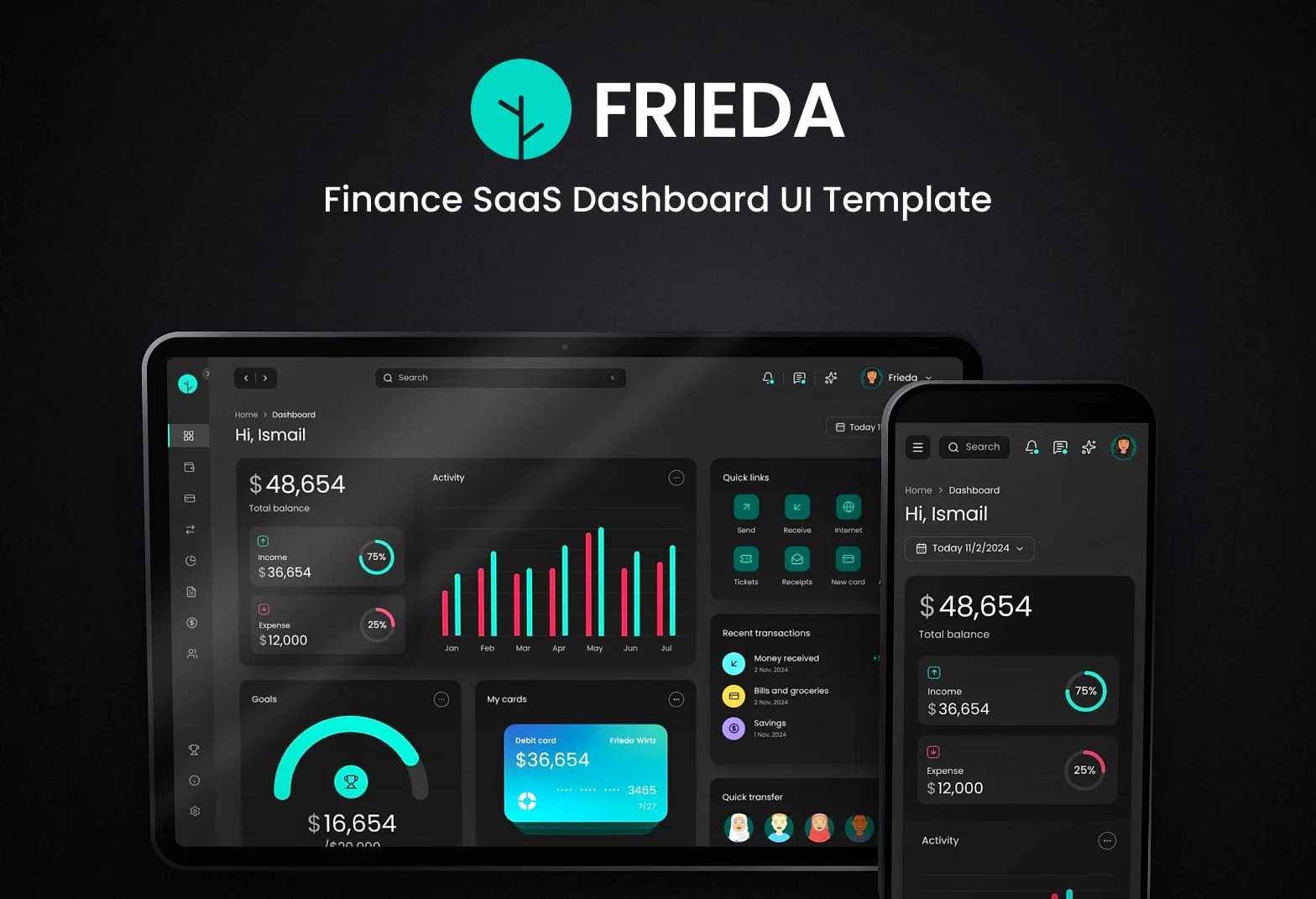
This one leans hard into fintech. The main dashboard shows balance, money flow, goals, cards, recent transactions and quick transfer. Then you get wallet, cards, add a card, transactions, analytics, documents, budget, recipients, rewards, help center, support tickets with chat and settings.
I’d pick Frieda when the product has money movement at the centre. It saves you time on the boring but important app shell too, with ⌘K search, notifications, a widgets panel and a built-in AI assistant already worked in.
Best for: Fintech products and finance-heavy SaaS Skip it if: You need product catalogs and order management instead Built with: Next.js, React, shadcn/ui, TypeScript
3. Violett: e-commerce operations dashboard
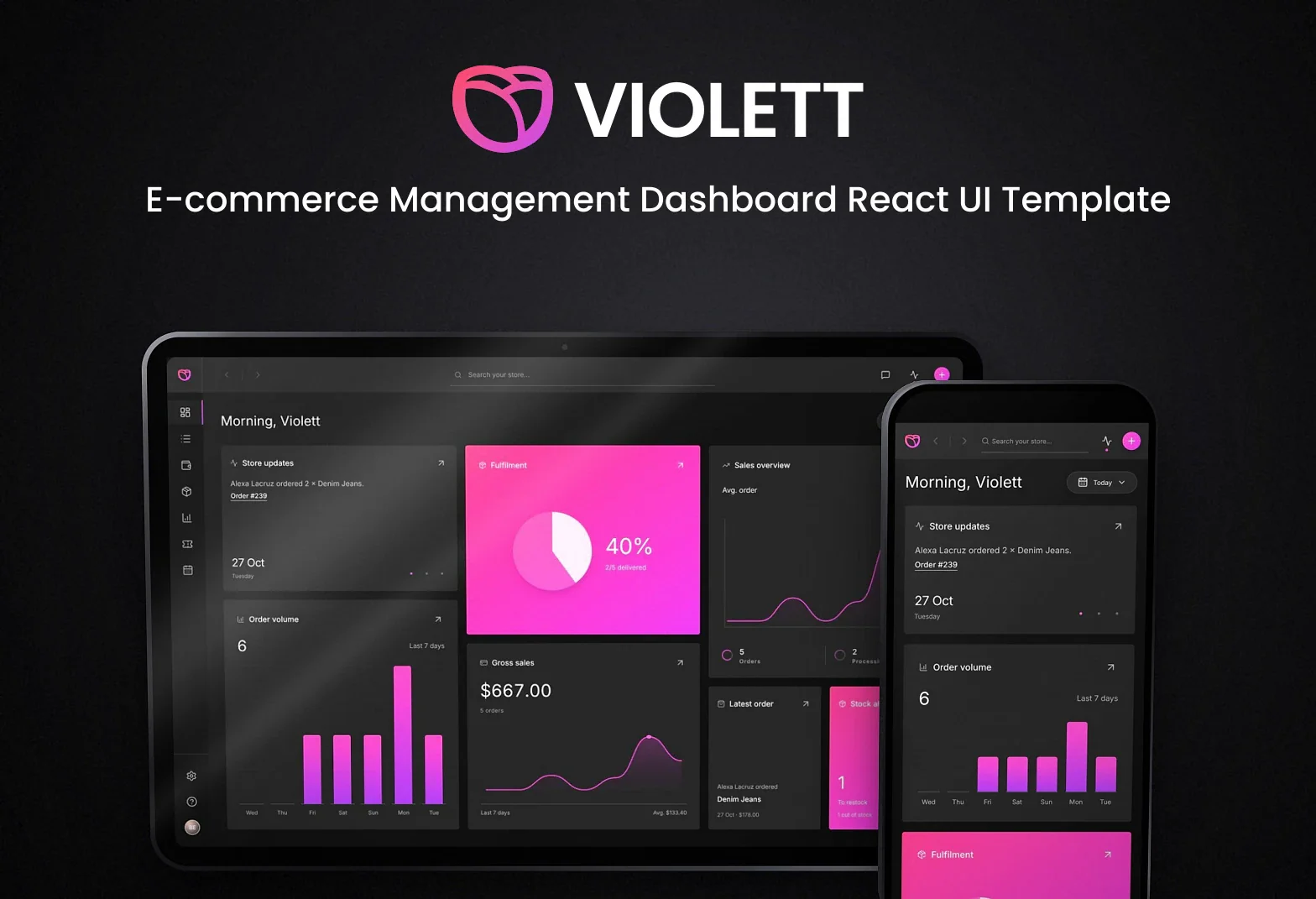
Violett is the one I’d use for a team that lives in orders all day. It has store activity, orders with search, sort, status and a full-height detail panel, products in grid or list view, a wallet with performance and payouts, analytics, support tickets, and a calendar in month, week and day views.
Pick it when operations matter more than marketing pages or upgrade flows. The order detail panel and support tickets make it a better fit than broader admin templates if your app is about handling the daily mess of running a store.
Best for: Store operations, orders and support work Skip it if: You want broader SaaS pages like help center and upgrade Built with: Next.js, React, TypeScript
4. Brinhildr: e-commerce admin dashboard
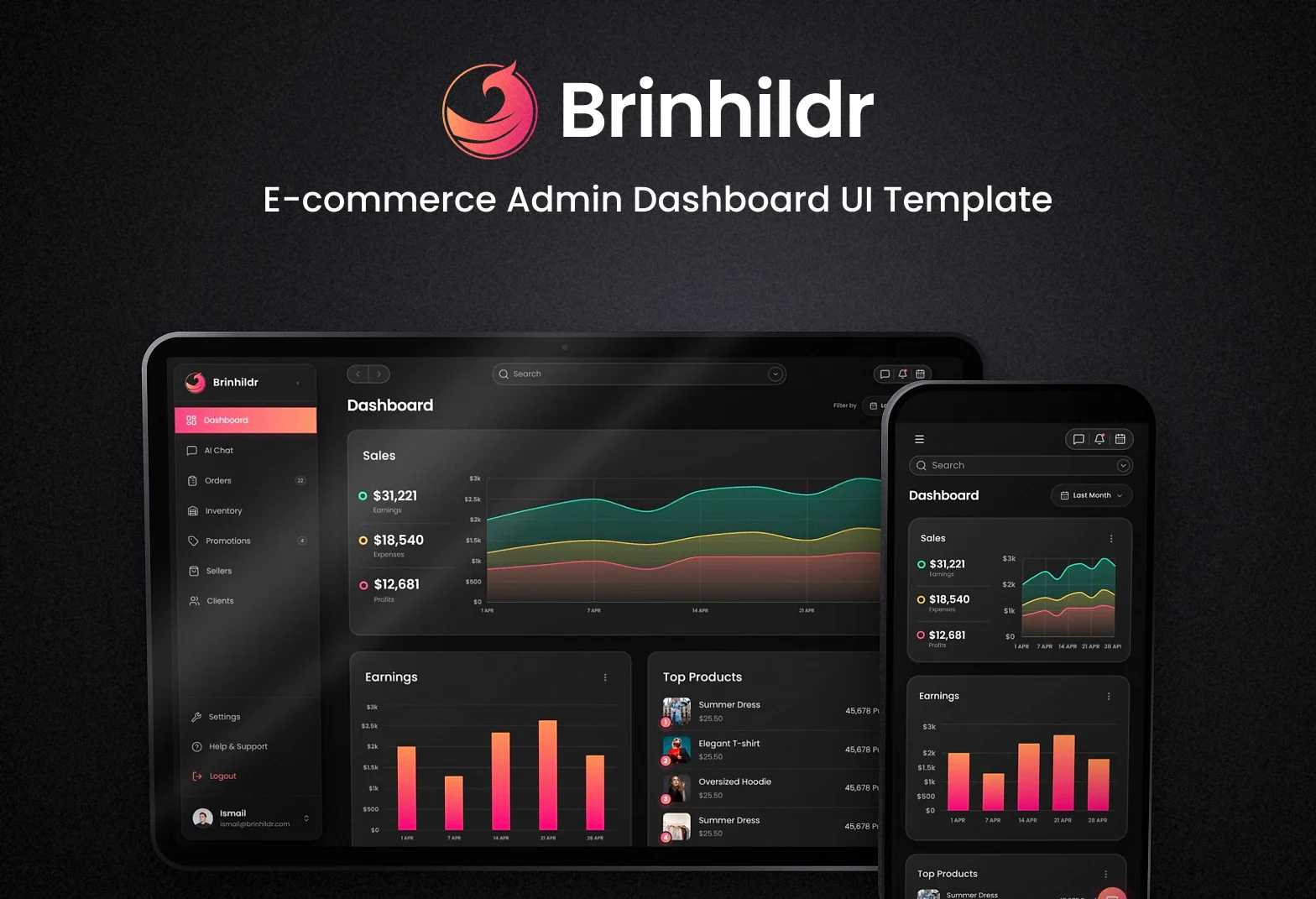
This one starts from the admin view. The main dashboard covers sales, earnings, top products, sales by country and top categories. Around that you get orders with a detail page, inventory, promotions, sellers, clients, AI chat, help, settings, and sign-in screens for welcome, login and sign up.
We’d use Brinhildr for a marketplace-style setup or a store backend with more admin structure. Sellers and clients give it a different shape from Violett, and the auth screens help if you want more of the app shell already mapped out.
Best for: E-commerce admin with sellers and clients Skip it if: You need wallet, payouts and support tickets first Built with: Next.js, React, shadcn/ui, TypeScript
5. Lillian: one-screen SaaS analytics dashboard
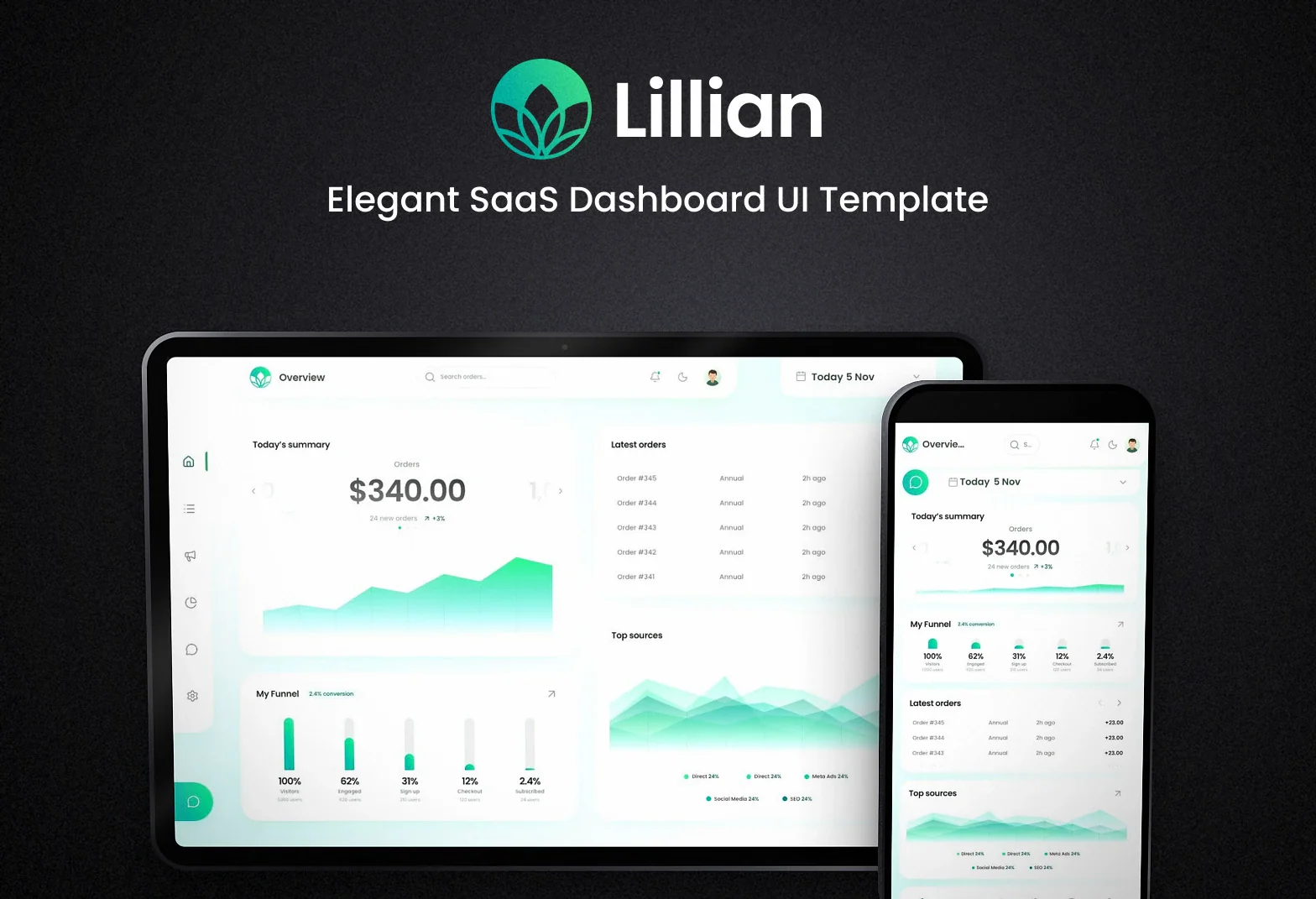
Lillian keeps the main dashboard on one screen with no scrolling. You get an orders table with search and pages, a date picker with presets and custom range, revenue charts filtered by source, a sign-up funnel, a today’s summary carousel, and Lily, a small AI chat panel with sample insights.
I’d pick it for analytics-heavy SaaS where you want a compact first screen, fast. The sidebar also opens Orders, Campaigns, Analytics, Inbox and Settings, but this is still a lighter pick than Natasha if you need lots of deep admin pages.
Best for: Compact SaaS analytics dashboard Skip it if: You need many detailed admin screens from day one Built with: React, Vite, shadcn/ui, TypeScript
6. Krona: HR and productivity dashboard
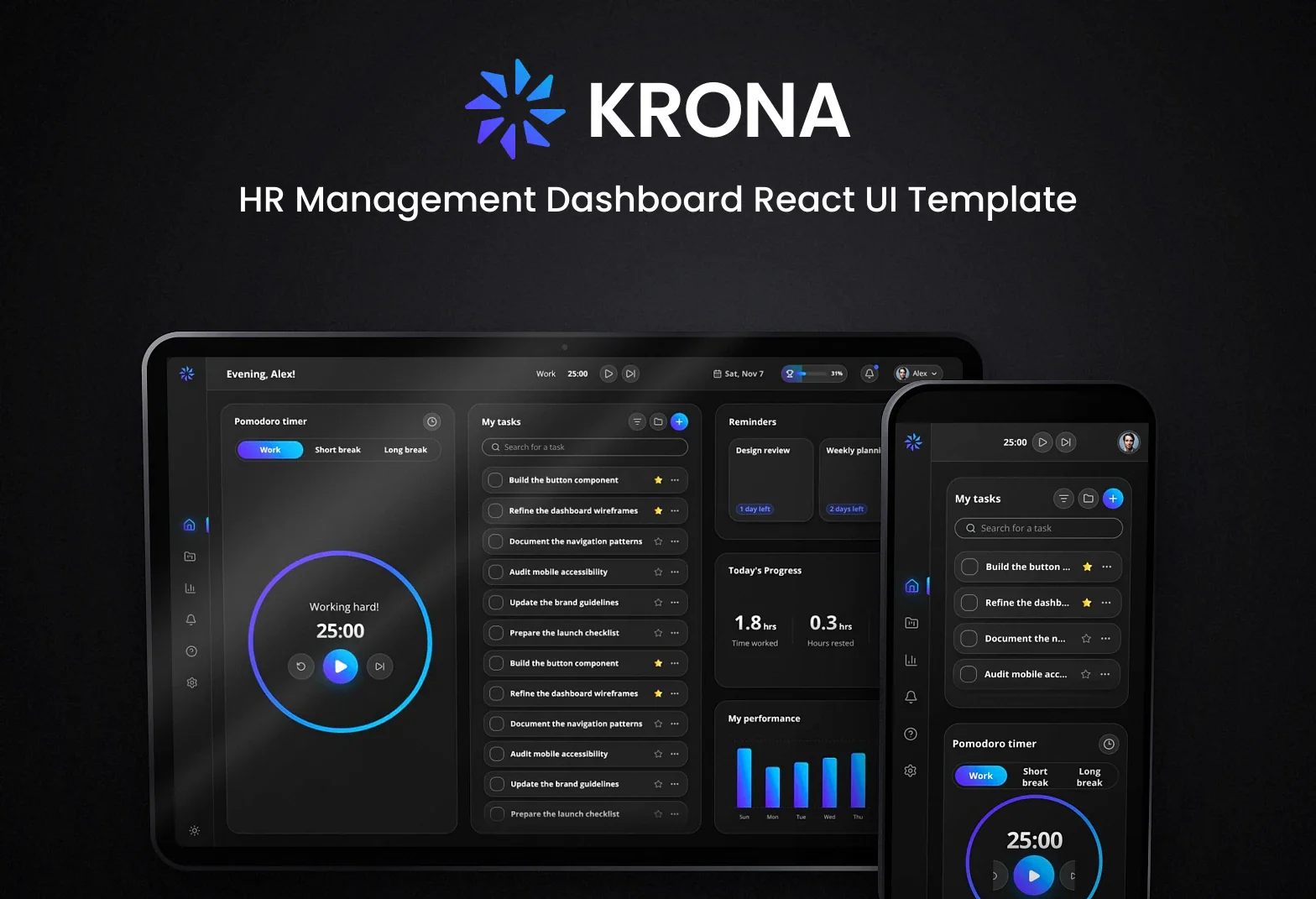
Krona goes in a different direction from the commerce-heavy picks above. It includes task management, project planning and personal productivity features, with a Pomodoro timer, reminders, progress widgets and performance charts. You also get Employee and Manager dashboards, plus sample data and browser-local storage.
Choose it for HR teams, internal tools or founder dashboards where tasks and people matter more than sales. I wouldn’t use it for a store or fintech app, but for HR flows it gives you a much closer starting point.
Best for: HR tools and internal productivity dashboards Skip it if: You're building e-commerce or finance dashboards instead Built with: React, Next.js, Tailwind CSS, TypeScript
How do these templates compare?
| Template | Best for | Built with |
|---|---|---|
| Natasha | SaaS or store admin with lots of sections | Next.js, React, shadcn/ui, TypeScript |
| Frieda | Fintech products and finance-heavy SaaS | Next.js, React, shadcn/ui, TypeScript |
| Violett | Store operations, orders and support work | Next.js, React, TypeScript |
| Brinhildr | E-commerce admin with sellers and clients | Next.js, React, shadcn/ui, TypeScript |
| Lillian | Compact SaaS analytics dashboard | React, Vite, shadcn/ui, TypeScript |
| Krona | HR tools and internal productivity dashboards | React, Next.js, Tailwind CSS, TypeScript |
What should a free dashboard template include?
Check the actual screens first, not the headline. If your app needs orders, make sure there's an orders table and an order detail view. If it needs finance flows, look for cards, transactions, transfers or recipients. For store back offices, products, payouts, inventory and support tickets matter more than a pretty hero chart. Then check the stack. If you're already on Next.js and shadcn/ui, starting from Natasha, Frieda or Brinhildr will be simpler than moving a Vite setup over. Last thing, see how the data works. Several of ours run on sample data, and Krona uses browser-local storage, which is handy when you want to prototype before wiring a backend.
Which free dashboard template should you pick?
My short version: pick Natasha if your product mixes orders, products, insights and payouts. Pick Frieda if money movement is the product. Go with Violett if your team spends most of its time in orders, support and scheduling. Use Brinhildr if you want a more admin-shaped e-commerce backend with sellers, clients and sign-in screens included. Lillian is the one I’d grab for a compact analytics dashboard that lives mostly on one screen. Krona is the outlier here, and that’s a good thing. Use it for HR, employee or productivity dashboards, not storefront admin.
How do you get started with a free dashboard template?
- Make an account on Mesbah Lab.
- Download the template you want. Free accounts get 10 downloads a month.
- Open the project in VS Code.
- For the Next.js and Vite templates here, run
npm installand thennpm run dev. - Swap the sample data for your own models and API calls.
- If you're already using shadcn/ui in a Next.js app, Natasha, Frieda, Violett and Brinhildr are the easiest places to borrow screens and parts from.
Every free template in this category is on the Dashboards page.